

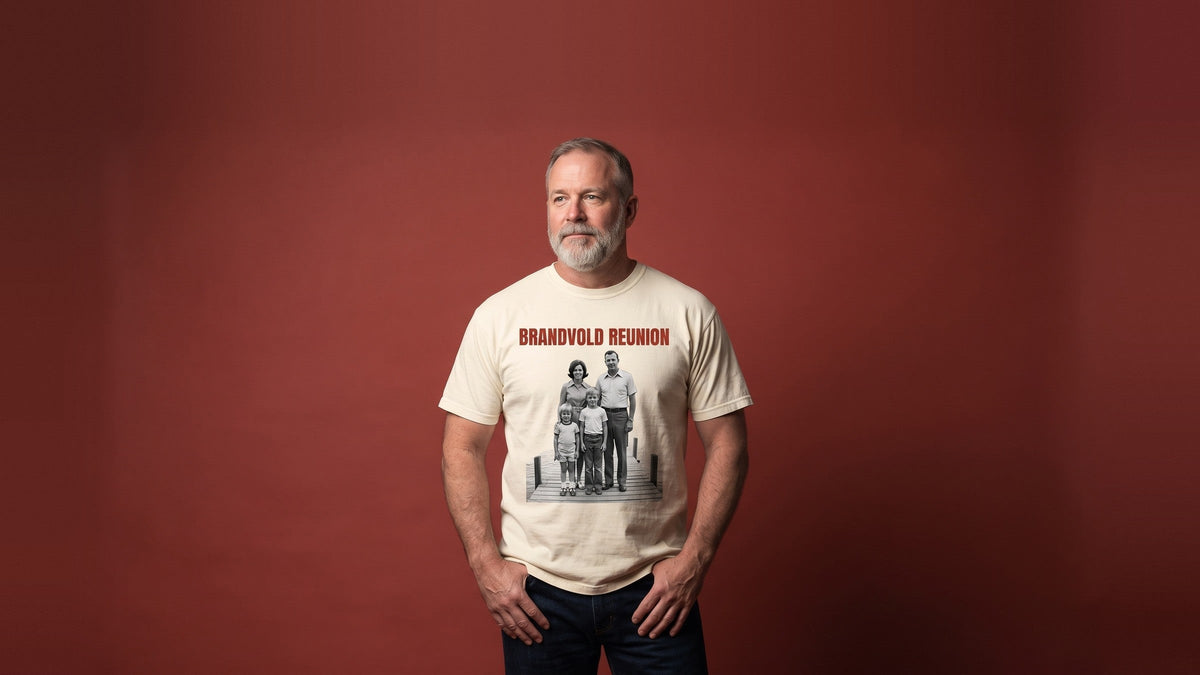
Key Takeaways
- Print from the original photo file. Screenshots and saved copies are usually smaller and print soft.
- Check the photo at its print width: up to 8 inches for a center chest, 13 for a full front.
- Cut the subject out of its background unless you want a framed box.
- Print a photo you took, or get the photographer's permission first.
Table of Contents
- Which Photos Print Well on a Shirt?
- How to Check If Your Photo Is Big Enough
- Cut Out the Background or Keep the Rectangle?
- Where Does a Photo Go on a Shirt, and How Big?
- Which Shirt Color Works With Your Photo?
- How to Add a Name, Dates, or Words to a Photo
- Whose Photo Can You Print on a Shirt?
- How to Put a Picture on a Shirt at Home
- How We Print a Picture on a Shirt
- Frequently Asked Questions
- Start With the Photo, Then Pick the Shirt
You can put a picture on a shirt two ways: iron it on at home with transfer paper, or have it printed. A home transfer works for a party shirt made the night before, and the home steps are further down. For a shirt that needs to last, have it printed and spend your effort on the photo. The two failures to plan around, a blurry print and a box around the person, both start in the photo file.
Which Photos Print Well on a Shirt?
The photos that print well on a shirt are sharp, evenly lit, and close enough that the subject fills much of the frame. A face that fills the photo survives printing; a face in the back row of a group shot turns into a smudge. Detail lost in deep shadow on screen will not come back on fabric, so a bright photo beats a dark one. If yours is dark, brighten the shadows a little in your phone's photo editor before you upload it.

A screenshot, a photo saved from a social app, or one forwarded in a text is a copy, usually smaller than the original. For a family photo, ask whoever took it for the original.
If the only copy is a printed photo, scan it. The Library of Congress guide to scanning personal collections gives settings for enlarging a 4 x 6 or 5 x 7 print. To enlarge one to 8 x 10 inches or more, it says to scan at 400 or 600 dpi. It also says to save a color enlargement as a high-quality JPEG. Dpi (dots per inch) is a setting in the scanner's menu.
Be careful with apps that "enhance" an old or blurry photo, because upscaling tools can fill in detail the photo never held. The researchers behind PULSE, a face-upscaling method published in 2020, say it "makes imaginary faces of people who do not exist." On a portrait, that detail is a face, so compare the enhanced version with the original before you use it.
How to Check If Your Photo Is Big Enough
The quickest check is to zoom the photo on a computer until it is as wide as the print will be, measured with a ruler. On our adult tees, a center chest print runs up to 8 inches wide and a full front up to 13. If the eyes and the edges of the hair still look crisp at that size, the photo has enough detail.

If they look soft, pick a smaller spot, such as the center chest, or find the original file. To see how it sits on the shirt itself, design a custom t-shirt and upload the photo in the Design Studio. Each spot there shows its largest size in inches. The photo carries a size label as you resize it, so you can read the exact width to check.
The Design Studio takes photos as PNG, JPG, TIFF, and several other file types, up to 50 MB each. It keeps an iPhone's HEIC photo but can't show it, so save the photo as a JPEG at full size first.
Cut Out the Background or Keep the Rectangle?
Cut the subject out of the background unless you want the photo to look framed. A rectangular photo prints as a rectangle, background and all, and on a colored shirt that reads as a box.

In the Design Studio, Remove BG takes the background off a placed photo in one click. Check the edges in the preview, especially around hair, fur, and glasses. For anything specific, such as keeping a dog's leash in the cutout, write it in the note for that side. Our design team handles it, and the result shows on your design proof.
Keeping the rectangle suits a wedding picture or a landscape, where the setting is the point of the photo. If you want the photo framed as a separate piece, a sublimated patch is another option. It carries the photo in full color, hand-stitched to the shirt, up to 4 by 4 inches on the left or right chest. Patch orders of one piece cost more per piece.
Where Does a Photo Go on a Shirt, and How Big?
Most photo shirts carry the picture on the full front, the center chest, or the full back. The photo's shape decides how much of each spot it can fill. A standard phone photo is 3 units wide for every 4 tall when held upright, and 4 wide by 3 tall when turned sideways. Here is what that shape prints at in the largest box each spot allows on our adult tees, in inches:
| Spot | Box, up to | Upright phone photo | Sideways phone photo | Good for |
|---|---|---|---|---|
| Full front | 13 x 17 | 12.75 x 17 | 13 x 9.75 | One portrait, the classic photo tee |
| Full back | 13 x 17 | 12.75 x 17 | 13 x 9.75 | A big photo with a small mark on the front |
| Center chest | 8 x 8 | 6 x 8 | 8 x 6 | A smaller photo with words above and below |
| Upper back | 13 x 5 | 3.75 x 5 | 6.67 x 5 | A group photo cropped into a long strip |
| Left chest | 4 x 4 | 3 x 4 | 4 x 3 | A pet or a small round portrait |
The largest box is a ceiling, not a target. A 17-inch-tall portrait reaches well down the front of the shirt, which can look odd on a short torso. A photo cropped square fills the 8 by 8 center chest exactly.
A pullover hoodie's full front box runs up to 14 by 10.5 inches. That is the same 4-by-3 shape, so a sideways phone photo fills it edge to edge. To put the same photo on a hoodie, shop custom hoodies. On any garment, your design proof shows the exact size.

Which Shirt Color Works With Your Photo?
Pair a light photo with a dark shirt and a dark photo with a light one. Choose the color after you decide on the background, because a cutout sits right against the fabric. A bright beach photo stands out on navy or black; a shadowy portrait reads better on white, natural, or light gray.

Look hardest at the edges of the subject. Dark hair cut out against a black shirt disappears into it, and a white dress fades into a white shirt. A heather gray sits between light and dark, so both dark hair and a pale face stand out against it. If you keep the rectangle, the photo's own edge separates it from the shirt, so nearly any color works.
Printing goes on light and dark shirts alike, so the choice comes down to the look. If you are torn between two colors, preview the photo on each one before you order.
How to Add a Name, Dates, or Words to a Photo
Three text layouts suit a photo shirt: a name curved over a cutout, words above and below the photo, or dates under a portrait. A memorial shirt can pair two of them: the name curved above the portrait and the dates underneath.

In the Design Studio, curved text comes in four shapes: Circle, Arch, Wave, and Elevate. Pick one, type the words, and drag the handle on the canvas to set the curve. Keep the words short and the letters bold enough to read from a few feet away.
Text shares the box with the photo. A sideways photo on the center chest prints 8 by 6 inches, which leaves an inch above and below for a short line. A full-front portrait that fills its box can carry a name across the upper back instead.
Whose Photo Can You Print on a Shirt?
You can print a photo you took, or one whose owner has given you permission. The U.S. Copyright Office's Circular 42 says the first copyright owner of a photograph "is generally the person who 'shoots' or 'takes' the photo." Paying for the pictures does not change that, as the Office's answers on using someone else's work show with a wedding. The photographer keeps the copyright unless it "is transferred, in writing and signed by the copyright owner, to another person."
Three cases catch people out:
- School, team, and studio portraits. Buying the prints does not buy the photo. Circular 1 says owning a copy "does not give the owner of that copy … the ownership of the copyright."
- A photo of you that a friend took. The copyright belongs to the friend. The same answers page says the subject of a photograph "generally has nothing to do with the ownership."
- Old family photos. The Office says "it is sometimes difficult to determine who owns the copyright" in a photograph. If the photographer has died, the rights pass by their will or, without one, by inheritance law. Ask whoever inherited them.
When in doubt, ask the photographer. The Copyright Office's own line is that "in cases of doubt, the Copyright Office recommends that permission be obtained." A short email saying yes is easy to keep with your order. Uploading a photo to the Design Studio confirms you have the rights to it. This is general information, not legal advice.
How to Put a Picture on a Shirt at Home
At home, a photo goes on a shirt with iron-on transfer paper and an inkjet printer. Your transfer paper's own instructions come first. Avery, which makes iron-on transfer paper, gives these steps for its light-fabric transfers:
- Flip the photo to a mirror image before you print it. Light-fabric paper goes on face down, so an unflipped photo puts any words on backward.
- Trim around the photo, leaving a narrow margin, and round the corners so they are less likely to lift.
- Iron on a hard surface that heat won't harm, such as a wooden table under several layers of towels, not an ironing board.
- Empty the water from the iron, turn off the steam, and preheat it on the high or cotton setting.
- Lay the transfer face down and press hard: about 3 minutes for a full sheet, about 90 seconds for a half sheet.
- Let it cool for 2 minutes, then peel off the backing carefully.
A home transfer can be no bigger than the paper, which is usually letter size, 8.5 by 11 inches. Cricut's Print Then Cut mode works in a smaller area than the full sheet.

Avery also says to wash the shirt inside out in cold water. It warns against fabric softener, which "may cause the transfer to fade, crack, or peel." For a shirt someone will keep, a memorial shirt, or a dozen reunion shirts, have it printed. Our comparison of t-shirt printing methods covers other ways to print a photo, from direct-to-garment printing to sublimation, and how to wash a printed shirt.
How We Print a Picture on a Shirt
We put photos on shirts with our full-color method, Print. It has no limit on colors, so a photo keeps its gradients and shading. DTF is the technology behind it on hats and shirts alike. Our guide to full-color printing on hats walks through how the ink gets into the fabric.

Ordering a photo shirt takes a few minutes:
- Open any shirt's product page and click Start designing.
- Pick a side of the shirt. On apparel, the full-color print option is already selected.
- Choose the spot, upload your photo, then click the small picture of it in your uploads to place it. Use Remove BG for a cutout.
- Add text, and write anything specific in the note for that side.
- Click Save & finish, then enter sizes and quantities to see the total.
Your design shows on the real shirt as you build it. We email you a design proof within 1 to 2 business days of your order, and revisions are unlimited. You approve the proof before anything is made, and then shirts ship in 1 to 2 weeks; transit time is separate.
If a memorial or reunion date is close, rush is available on request. Contact us by phone, email, or live chat before you order, and we confirm what is possible for your date.
There is no minimum, so one birthday shirt is a normal order. For a reunion or a team, the price per shirt drops as more shirts share the design, which can run across sizes and shirt colors. We offer free U.S. shipping.
Not sure your photo is sharp enough? Ask our design team on live chat.
Frequently Asked Questions
Can a phone photo be printed on a shirt?
Yes. A photo straight from a recent phone camera usually has enough detail for a center chest print. For a full front, check it first: zoom it to 13 inches wide on a computer and look at the eyes.
Can you print a photo on a black shirt?
Yes. Printing goes on black and other dark shirts as well as light ones. The catch is the photo's background: a rectangular photo prints with its background, so it shows as a box. Cut the subject out with Remove BG, or choose a photo whose frame is meant to show.
Can I order a single photo shirt?
Yes, and there is no setup fee. Custom orders that match your approved proof can't be returned or refunded. A one-piece order is refundable only for a defect or a proof mismatch.
Can I use a photo from Facebook?
You can if it is your photo or the owner agrees. A downloaded copy is usually smaller than the original, so it may print soft at full-front size. For a sharper result, ask the person who posted it for the original file, or scan the print if one exists.
Can I put several photos on one shirt?
Yes. Upload each photo in the Design Studio, place them in one spot, and describe the layout you want in the note for that side. Our design team lays them out to match your note. A collage has the most room on the full front or the full back, up to 13 by 17 inches on our adult tees.
Start With the Photo, Then Pick the Shirt
Putting a picture on a shirt goes well when each choice follows from the photo. Make them in this order:
- Get the original file, or scan the print, and check it at the width it will print.
- Decide between a cutout and a framed rectangle.
- Pick the spot and the size, then a shirt color that sets the subject apart.
- Add short, bold text, and make sure you have the right to print the photo.
The Design Studio shows your photo on the real shirt in minutes, so you can judge the cutout, spot, and color together. A single gift shirt and forty reunion shirts go through the same steps. Browse Custom T-Shirts →
Have a question before you order? Contact us, and we'll get back to you within 24 hours on weekdays.
Share:
Structured vs Unstructured Trucker Hat: Same Logo, Two Looks
Half Zip vs Quarter Zip: We Checked 6 Zippers Side by Side